
Best AI Photo Generators for E-commerce in 2026
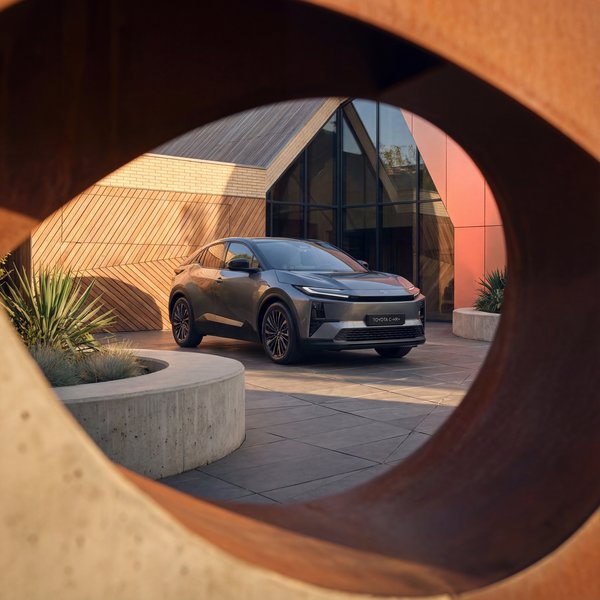
Why E-commerce Needs Specialized AI Generators
Not all AI image generators are created equal, and the distinction matters enormously for e-commerce. Consumer tools like Midjourney and DALL-E are designed for creative expression: they produce beautiful images, but they alter product details, invent logos, and change material textures. For brands selling physical products, these inaccuracies are deal-breakers.
E-commerce AI photo generators are purpose-built for product photography. They prioritize product fidelity above all else: preserving exact colors, logos, textures, and proportions. The background, lighting, and context change, but the product stays pixel-perfect. This fundamental difference separates tools you can trust with your brand from tools that produce pretty but unusable images.
Info
The key question when evaluating AI photo generators for e-commerce is not "how creative is the output?" but "how accurately does it preserve my product?" Creative backgrounds mean nothing if the product itself is distorted.
What to Look for in an AI Photo Generator
When evaluating AI photo generators for e-commerce, focus on these criteria. Each one directly impacts whether the tool is viable for production use or just a novelty.
- Product fidelity: does the output preserve exact product details, colors, and proportions?
- Batch generation: can you process entire catalogs, or only one image at a time?
- Platform integrations: does it connect to Shopify, Amazon, Meta, or your existing workflow?
- A/B testing support: can you generate and test multiple variants systematically?
- API access: is there a developer API for custom integrations and automation?
- Quality consistency: does the output quality remain stable across large batches?
- Format flexibility: can it generate images in all required platform formats?
- Pricing model: per-image, subscription, or usage-based? How does it scale?
Top AI Photo Generators Compared
We evaluated the leading AI photo generators on the criteria that matter for e-commerce brands. This comparison focuses specifically on product photography capabilities, not general-purpose image generation.
Dreamshot stands out as the only platform combining product-specific AI generation with integrated A/B testing, CTR prediction, and platform publishing. It is designed for brands that need the full pipeline from product photo to published listing. The automotive and fashion verticals are particularly strong.
PhotoRoom excels at background removal and simple product placement. It is the fastest option for creating clean white-background images and basic contextual shots. Best for small brands needing quick, simple edits without complex workflows.
Flair.ai focuses on styled product photography with a template-driven approach. It offers good creative control for brands that want specific aesthetic outcomes. The template library is extensive, but batch generation capabilities are limited.
Pebblely targets small businesses and solopreneurs with a straightforward drag-and-drop interface. It produces decent results for simple products but struggles with complex items, reflective surfaces, or fashion. Pricing is accessible for small catalogs.
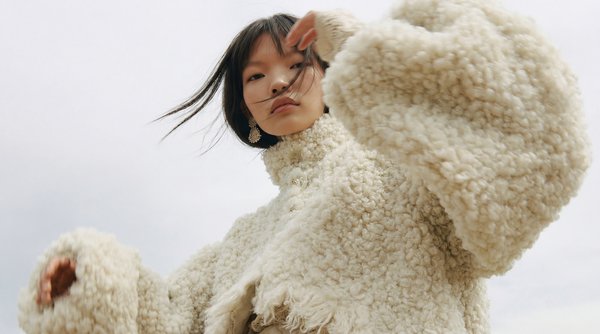
Specialized Tools for Specific Verticals
Some AI photo generators specialize in specific verticals. If your business falls squarely within one of these niches, a specialized tool may outperform general-purpose platforms for your specific use case.
For fashion and apparel, platforms like Botika and Resleeve focus specifically on virtual try-on and model swap capabilities. They excel at putting garments on different model body types and poses, but their product photography capabilities beyond fashion are limited.
For automotive, CarCutter specializes in vehicle background replacement for dealership listings. It handles the specific challenges of automotive photography well: reflections, complex shapes, and wheel details. However, it is narrowly focused and does not extend to other product categories.
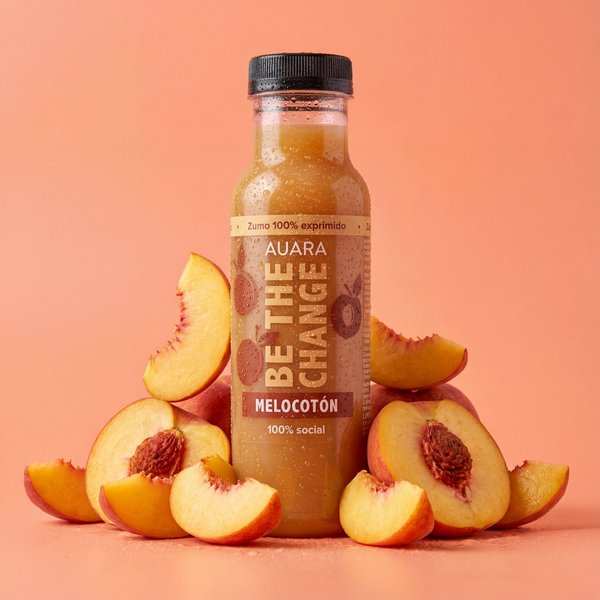
For food and beverage, most AI generators struggle with the translucency, texture, and styling that food photography demands. This remains an area where traditional photography or highly specialized AI tools produce significantly better results than general-purpose platforms.
Pricing Comparison
Pricing models vary significantly across platforms. Some charge per image, others offer monthly subscriptions, and enterprise platforms negotiate custom pricing based on volume. The right model depends on your catalog size and generation frequency.
- Dreamshot: subscription plans from 49 EUR/month, enterprise custom pricing, API access included
- PhotoRoom: free tier with watermarks, Pro from 9.99 EUR/month, limited batch capabilities
- Flair.ai: free tier with limited generations, Pro from 10 USD/month, no API access
- Pebblely: free tier (40 images/month), Pro from 19 USD/month, basic batch support
- Botika (fashion): custom pricing, minimum commitment, fashion-specific features
- CarCutter (automotive): per-image pricing, volume discounts, dealership packages
Tip
When comparing pricing, factor in the total workflow cost: generation plus editing plus formatting plus publishing. A more expensive platform that handles the entire pipeline can be cheaper overall than a cheap generator that requires manual post-processing for every image.
How to Choose the Right Tool
The best AI photo generator for your brand depends on three factors: your product category, your catalog size, and your workflow requirements. Here is a decision framework to guide your choice.
- Small catalog (under 50 products), simple backgrounds: PhotoRoom or Pebblely for quick, affordable results
- Fashion and apparel focus: Dreamshot or Botika for on-model and ghost mannequin capabilities
- Automotive dealership: CarCutter for vehicle-specific background replacement
- Multi-channel brand (Shopify + Meta + Amazon): Dreamshot for integrated generation, testing, and publishing
- Enterprise with API needs: Dreamshot for custom workflow integration and high-volume batch processing
- Budget-conscious startup: PhotoRoom or Flair.ai free tiers to validate the approach before investing
The most important step is testing with your own products. Every platform offers free trials or free tiers. Upload 5 to 10 of your most challenging products (reflective surfaces, complex shapes, detailed labels) and compare the results. Product fidelity on difficult items is the truest test of a platform's capabilities.
The AI photo generation market is maturing fast. The winners will be platforms that solve the full workflow, from generation to testing to publishing, not just the generation step in isolation.